Website Copier Comparison 2026: Every Tool Reviewed
There are dozens of tools that claim to copy or download websites. But in 2026, with JavaScript-heavy SPAs dominating the web, most of them produce broken or incomplete results. Here's an honest comparison of every major option.
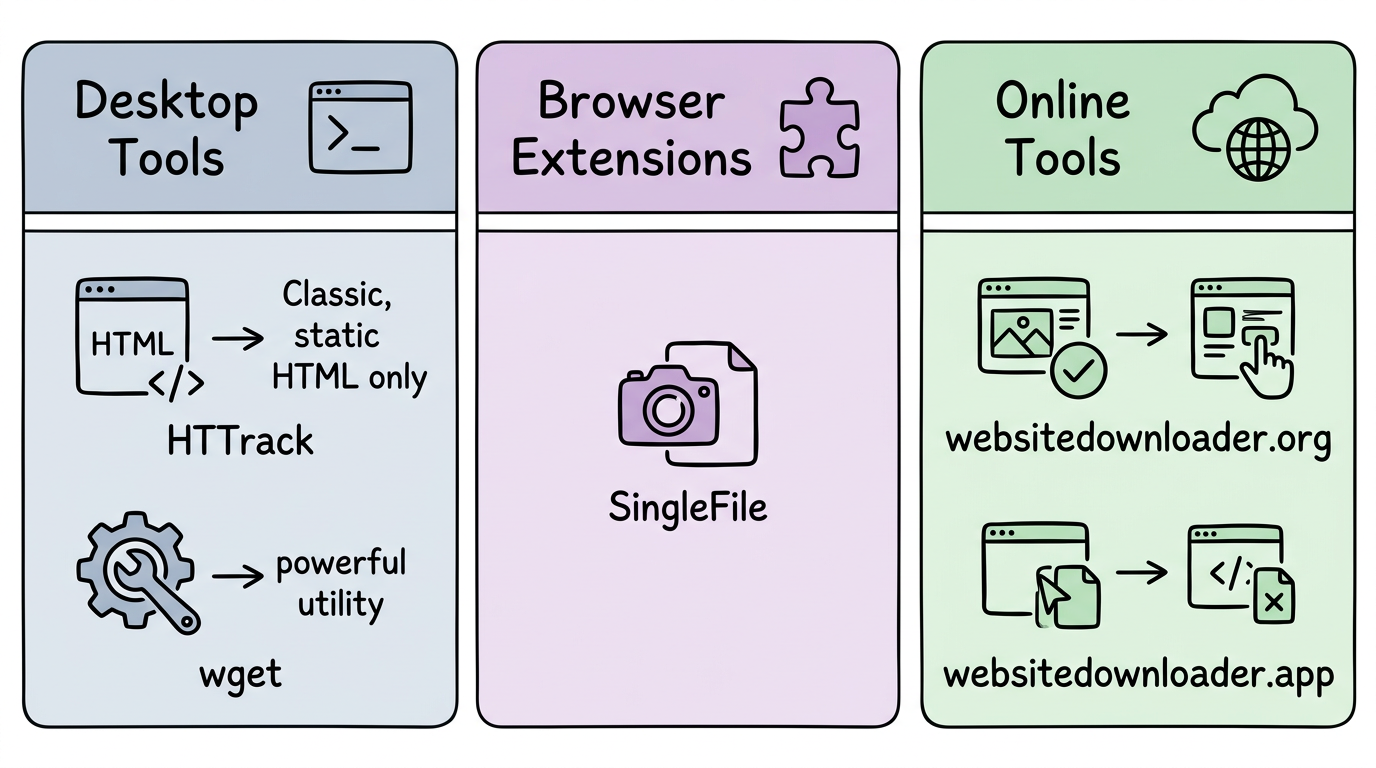
Desktop Tools
HTTrack
The classic website copier. Excellent for static HTML sites, but completely fails on JavaScript-rendered content. Last updated 2006. Difficult to install on modern macOS.
wget
Command-line utility for recursive file downloading. No JavaScript support. Requires terminal expertise. Best for downloading file archives, not rendered websites.
Browser Extensions
SingleFile
Saves a single page as one HTML file. Does capture JavaScript-rendered content (runs in the browser). Limitation: single page only, no multi-page downloads.
Online Tools
websitedownloader.org (Us)
Full headless Chrome rendering. Supports JavaScript frameworks. Multi-page downloads. Free. Open source (websnap).
websitedownloader.app
Web-based downloader with limited JavaScript support. Closed source.
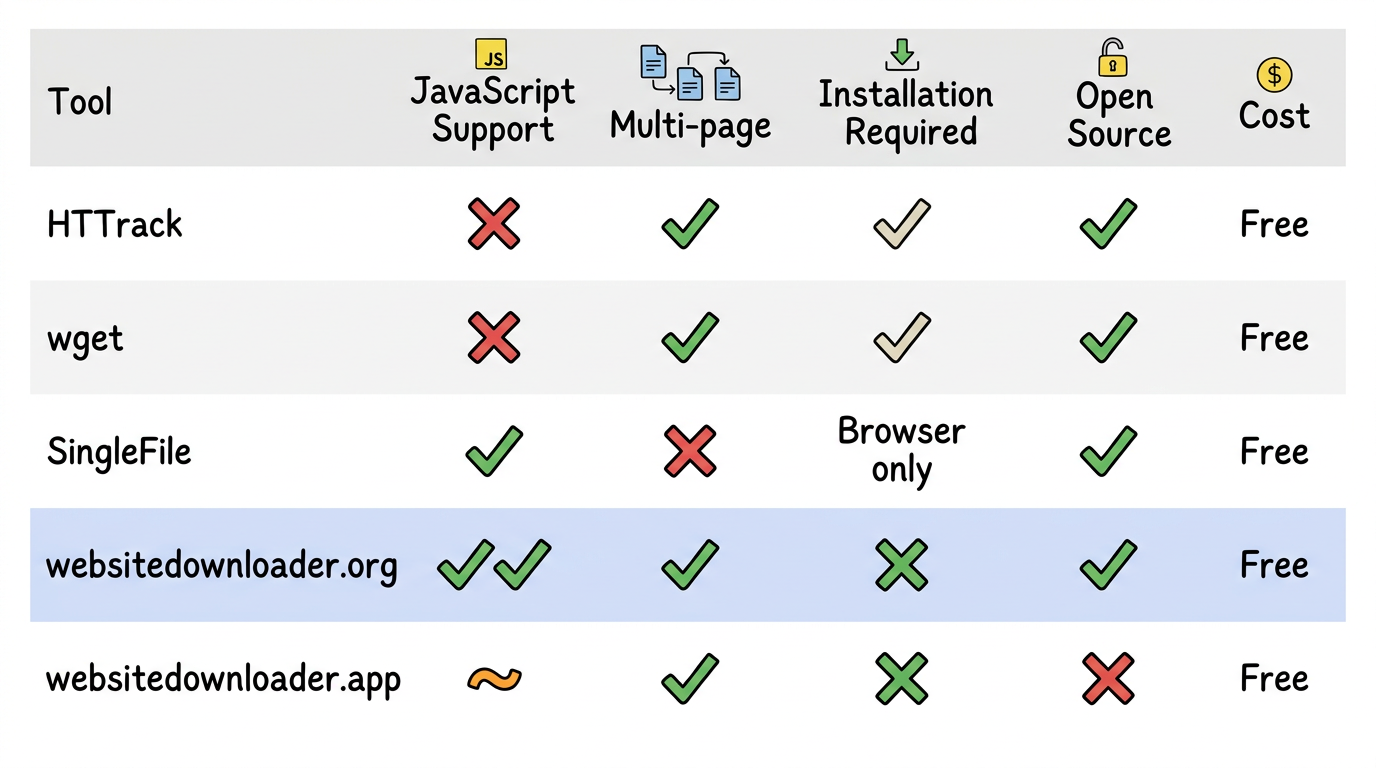
Bottom Line
If you need to download a modern website in 2026, you need a tool that renders JavaScript. websitedownloader.org is our pick for most users — it's free, requires no installation, and handles every framework.
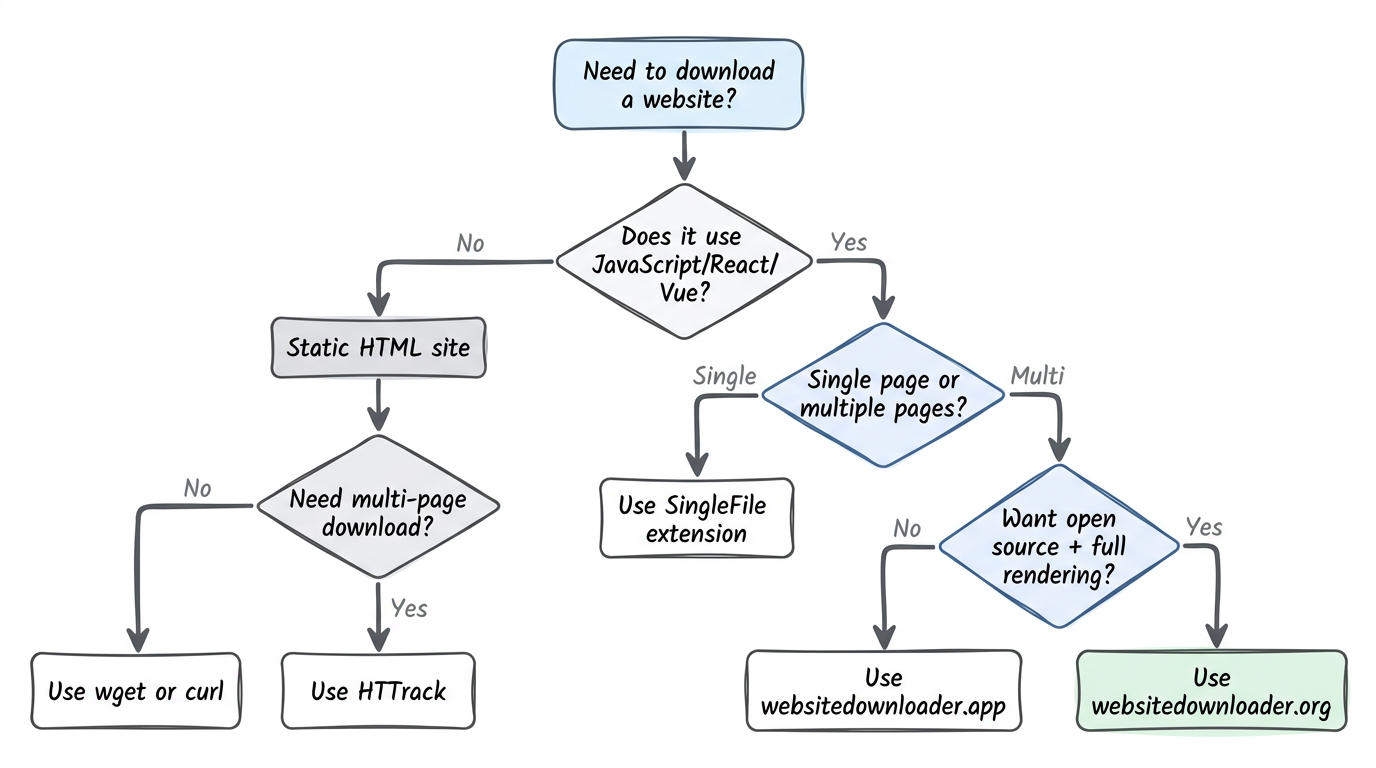
Related Guides
- Web downloader comparison — 8 tools tested with hands-on results.
- How to download a website — 5 free methods step by step.
- Website backup guide — Create reliable website backups.