HTTrack vs websitedownloader.org
A detailed comparison of the legacy website copier and the modern alternative.
HTTrack is a free, open-source website copier that has been around since 1998. It was the go-to tool for downloading websites for over a decade. But the web has changed dramatically since its last update in 2006, and HTTrack hasn't kept up.
websitedownloader.org is a modern website downloader built for the 2026 web. It uses headless Chrome to render JavaScript before downloading, which means it works on React, Vue, Angular, Next.js, and every other modern framework.
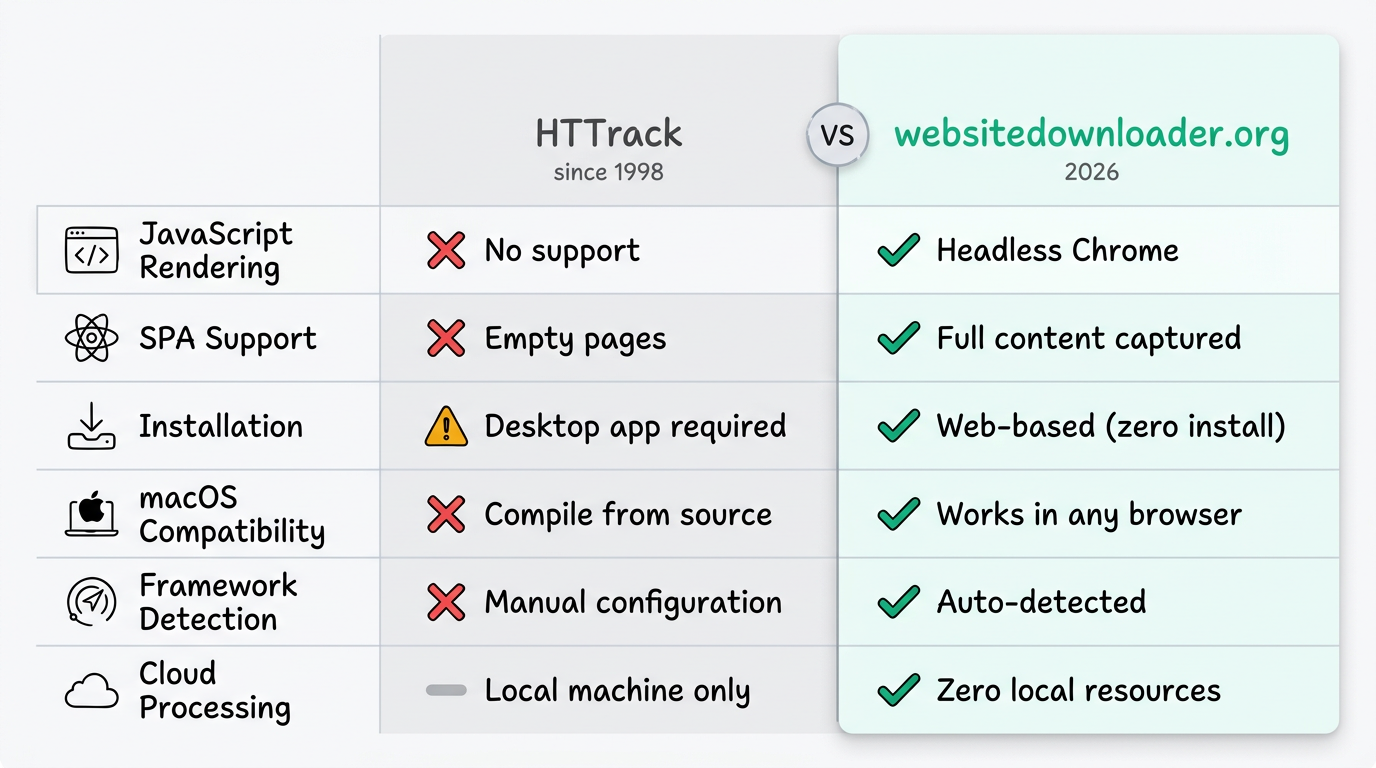
Side-by-Side Comparison
| Feature | HTTrack | websitedownloader.org |
|---|---|---|
| JavaScript rendering | No | Yes (headless Chrome) |
| React / Vue / Angular | Empty pages | Full content captured |
| SPA support | No | Yes (BFS state traversal) |
| Installation | Desktop app (compile on Mac) | None (web-based) |
| macOS support | Difficult (compile from source) | Works in any browser |
| Framework detection | No | Yes (auto-detected) |
| Cloud processing | No (local machine) | Yes (zero local resources) |
| Last updated | 2006 (20 years ago) | 2026 (active development) |
| Open source | Yes (GPL) | Yes (websnap on GitHub) |
| CLI available | Yes | Yes (websnap CLI + web UI) |
| Price | Free | Free (100/day) |
The JavaScript Problem
This is the fundamental difference. HTTrack sends HTTP requests and saves the raw HTML response. For a static HTML website from 2006, this worked perfectly. But modern websites send minimal HTML and use JavaScript to render content.
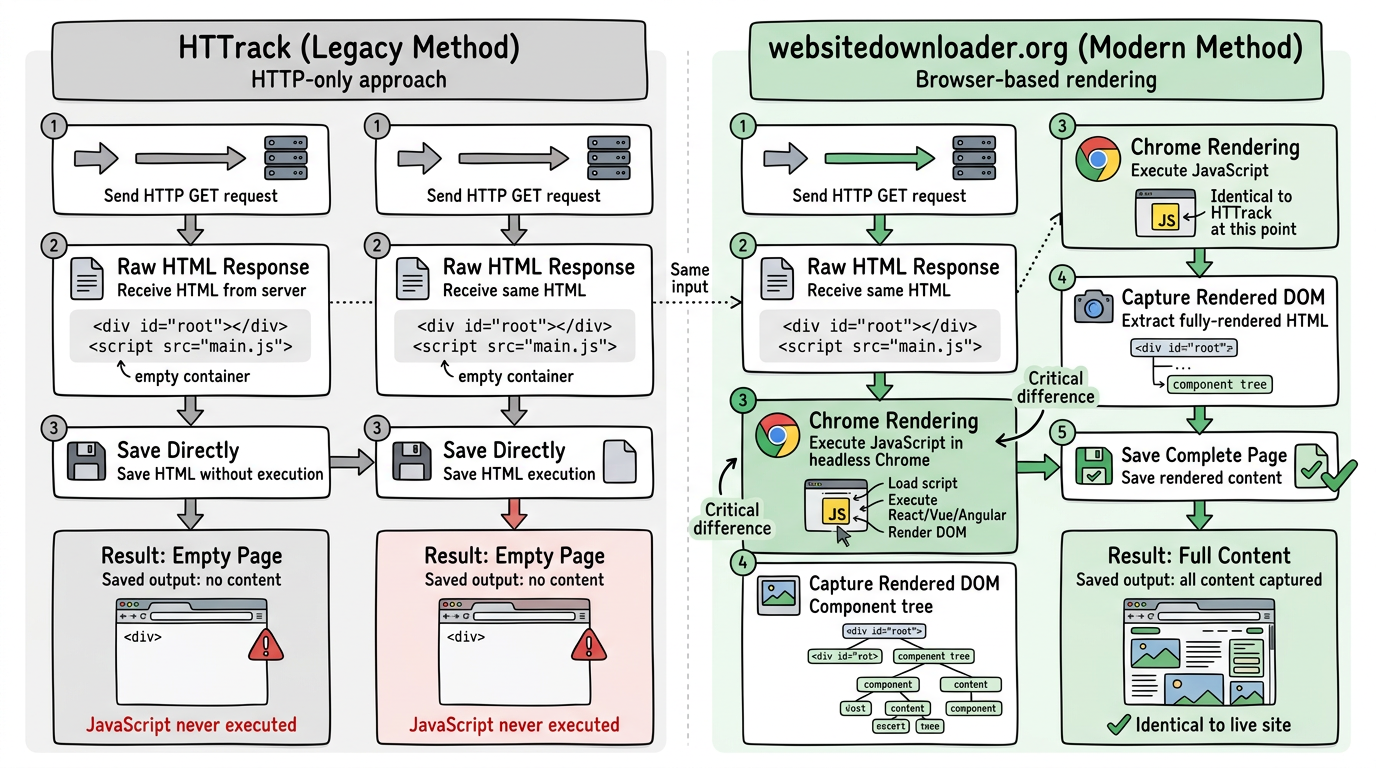
When HTTrack downloads a React app, it gets empty containers. websitedownloader.org renders the JavaScript in Chrome first, captures the DOM after React has populated it, and downloads the full content.
Installation & Usability
HTTrack requires downloading and installing desktop software. On macOS, it's especially painful — you need to compile from source using Homebrew or MacPorts, which frequently fails on newer macOS versions. On Linux, the package is often outdated.
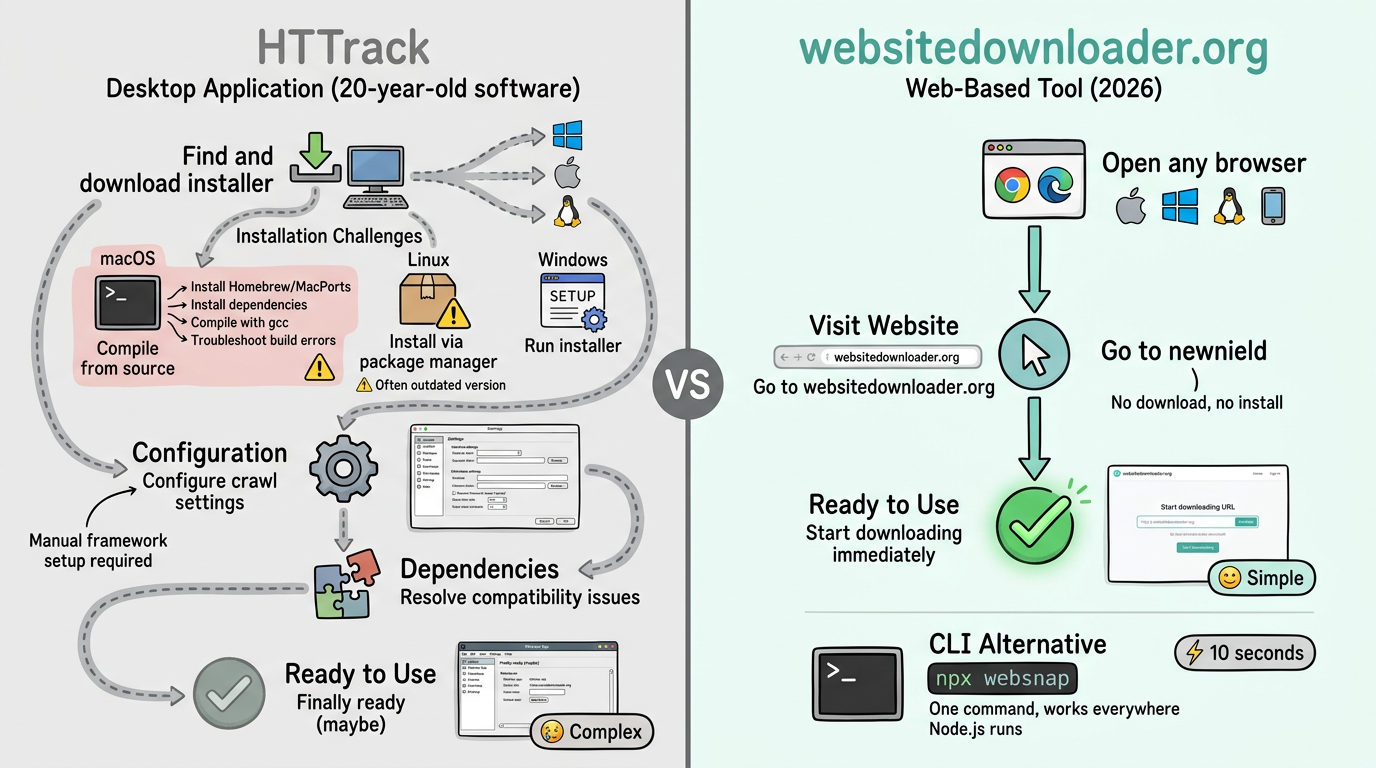
websitedownloader.org requires nothing. Open a browser, paste a URL, click download. It works on any device, any operating system. For CLI users, npx websnap works everywhere Node.js runs.
When HTTrack Still Makes Sense
HTTrack isn't completely obsolete. It can still be useful for:
- Downloading simple static HTML websites with no JavaScript
- Offline situations where you can't use a cloud-based tool
- Extremely large sites where you need fine-grained crawl control
For everything else — especially any site built in the last 5 years — websitedownloader.org is the better choice.
The Bottom Line
HTTrack served the web well for a decade. But it was built for a different era. If you need to download modern websites built with JavaScript frameworks, websitedownloader.org is the natural successor — free, open source, and built for the 2026 web.
Related: HTTrack Alternative page | HTTrack Alternative 2026 | HTTrack JavaScript not working | HTTrack Mac Alternative
Related Guides
- HTTrack alternative 2026 — Why you need a modern website downloader.
- Web downloader comparison — 8 tools tested with hands-on results.
- How to download a website — 5 free methods step by step.